
How yola4d Game Library Organizes Your Gaming Options
The yola4d Game Library is structured around five main categories: sportsbook, live dealer, slots, esports, and specialty games. Each category contains dozens of titles, and within each category, games are tagged by sport, tournament, or game type. For example, the sportsbook category includes football (Liga 1, Piala AFF, Champions League, Premier League), badminton, MotoGP, and other sports. The live-dealer category features blackjack, roulette, baccarat, Dragon Tiger, and multi-camera studio sessions. The slots section includes Aviator, Sweet Bonanza, Gates of Olympus, Fortune Tiger, Mahjong Ways, and others. Esports covers Mobile Legends, Free Fire, and PUBG Mobile.
When you log into yola4d on your phone or desktop, the Game Library is your entry point. Your account balance appears at the top so you always see how much you have available. A search bar lets you type a game name or sport (e.g., "Liga 1" or "blackjack") and instantly find matching titles. Below search, category tabs organize games by type. Tapping or swiping between tabs loads different sections without reloading the entire library.

The Game Library unifies every game we offer into one searchable, filterable hub—so you never waste time hunting for a specific sportsbook match, live table, or slot game.
Sportsbook Section in the Game Library
The sportsbook section of yola4d Game Library displays upcoming and live matches across multiple sports. Football dominates the listing with Liga 1 (Indonesia's premier league), Piala AFF (regional tournament), Piala Indonesia (cup competition), Champions League, and Premier League. Each match shows the teams, kickoff time (local to Jakarta, Surabaya, Bandung, or Medan), and common bet types (match winner, over/under, both teams to score). Badminton and MotoGP rounds are also featured during their seasons.
Matches are sorted by start time by default, so live matches appear at the top. You can also filter by sport, league, or team to narrow down choices. When you tap a match, the full betting market opens: you see all available bet types, implied odds, and a live ticker showing how the match unfolds if it is currently in play. Your selections are added to a bet slip that tracks your total stake and potential payout before you confirm.
Results and final scores are recorded in the library permanently. After a match concludes, its entry shows the final result and your settlement status (won, lost, or void). You can review historical matches by date or league, which is useful if you want to audit your betting history or look back at how specific teams performed earlier in a season.
Live-Dealer Tables in the Game Library
Our live-dealer category features live-streamed table games run by professional dealers in real-time studios. Blackjack, roulette, baccarat, and Dragon Tiger are the primary offerings. Each table shows the dealer on camera, the current round status (accepting bets, cards dealing, waiting for next round), and the live result feed. You place your bet on your phone while watching the dealer on the same screen, and outcomes settle instantly as the dealer reveals cards or the wheel spins.
- Blackjack tables
- Play against a live dealer; standard rules apply. Your hand and the dealer's hand resolve in real time on video.
- Roulette wheels
- Place bets on number, colour, or section; the wheel spins live on video and outcomes settle immediately.
- Baccarat tables
- Bet on player, banker, or tie; cards are dealt live and results are shown instantly on video.
- Dragon Tiger tables
- Single-card comparison game; one card dealt to Dragon, one to Tiger; highest card wins. Fast-paced and live-streamed.
Video streams are HD quality and optimized for mobile, so even on 4G they load smoothly. Chat functionality lets you interact with the dealer and other players in real time. If the stream lags or disconnects, yola4d automatically resumes it and catches you up on missed rounds so your bets are not lost.
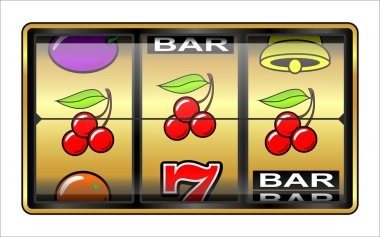
Slot Games in the Game Library
The slots section contains reel-based games with different themes, volatility levels, and payout structures. Aviator (crash game), Sweet Bonanza, Gates of Olympus, Fortune Tiger, Mahjong Ways, Mega Sevens, and Fortune Ox are our most popular titles. Each game shows a brief description, its volatility rating (low, medium, high), and a thumbnail image so you quickly recognize titles you have played before.
Tapping a slot opens the game interface. You choose your bet size, hit the spin button, and results settle within seconds. Your balance updates instantly after each spin. Game history is logged in your account so you can review past spins anytime via the Result Archive section of yola4d.
Slots are highly optimized for mobile data usage. A single spin consumes roughly 10–15 KB, meaning an hour of active play uses only 0.6–0.9 MB of data. Graphics are crisp on 5-inch screens, and the interface scales seamlessly between portrait and landscape orientations.
Esports Markets in the Game Library
Esports competitions on yola4d focus on Mobile Legends, Free Fire, and PUBG Mobile. The Game Library lists upcoming tournaments and matches, team lineups, and live betting markets. When a tournament is live, you see real-time match scores and game information updates. Results are locked in immediately when a match concludes, and settlement happens within minutes of the final call.
Esports betting works the same way as sportsbook betting: you browse available matches, select your bet type (match winner, total rounds, map picks), add it to your slip, confirm your stake, and watch the results update live. Esports markets are particularly popular around major regional tournaments and season playoffs.
Single Login, Multiple Games, Unified Balance
One of the core strengths of yola4d Game Library is account unity. Your login works across every game category. When you place a Liga 1 bet, play a live blackjack round, and spin Aviator slots—all within the same session—your balance and transaction history are tracked in one account. Deposits via e-wallet, mobile banking, local payment, online payment, e-wallet, mobile banking, or bank transfer credit your account instantly and are available across all games with no separate transfers needed.
Similarly, when you request a withdrawal, you choose your payment method once and funds are routed to that account. There is no need to move money between game wallets or manage separate balances for sportsbook versus slots versus live dealer. This unified approach simplifies account management and makes it easy to track your overall spending and results across all gaming activities on yola4d.
Your account security settings (two-factor authentication, login notifications, device restrictions) apply uniformly across the Game Library, so you maintain consistent protection whether you are betting on Piala AFF or playing Dragon Tiger.
One account. One balance. Every game. That is the yola4d approach to simplifying your gaming experience.
Accessing the Game Library on Android and iOS
Android users download the yola4d APK from yola4d.app. Installation takes under two minutes and the app is roughly 40–50 MB. After installing, log in with your yola4d email and password, and the Game Library loads instantly. iOS users do not need to download anything—open Safari, navigate to yola4d.app, log in, and tap any game. The browser version runs identically to the app and consumes zero local storage.
-
Download yola4d APK (Android) or Open Safari (iOS)
Android users get the app from yola4d.app; iOS users navigate directly in Safari to yola4d.app.
-
Log Into Your yola4d Account
Enter your email and password; two-factor authentication confirms if you enabled that setting.
-
Deposit Funds via Your Chosen Payment Method
Select local payment, online payment, e-wallet, mobile banking, local payment, online payment, or bank account; your balance updates within seconds to minutes.
-
Browse the Game Library and Select Your Game
Search, filter by category, or tap recommended games; any title opens instantly on your mobile device.
The Game Library interface is optimized for mobile browsing. Category tabs are large and easy to tap; game tiles are clearly labeled with images and descriptions; and search is instant even on slower connections because we cache popular game listings locally on your phone.
Data Usage and Mobile Performance
Browsing the Game Library itself uses minimal data. Loading the full library of titles takes under 100 KB because we serve lightweight game cards with small images. Playing actual games uses more data—live-dealer video streams consume 1–2 MB per hour, slot spins use 10–15 KB each, and sportsbook matches show live score updates that consume roughly 50 KB per update. Esports streams vary by quality but typically consume 1.5–2.5 MB per hour depending on resolution.
We allow you to adjust video quality on live-dealer and esports streams to match your connection. On slower 3G or congested 4G, lower quality still delivers smooth playback and clear results without buffering. The Game Library itself prioritizes text and small images over bandwidth-heavy assets, so even on a limited data plan you can browse dozens of games without using significant data before you actually start playing.
Cross-Device Sync and Account Security
Your Game Library experience syncs across all devices. Log in on your phone and place a sportsbook bet, then switch to a tablet and continue from exactly where you left off—your bet is already recorded, and your updated balance is visible. We use encrypted HTTPS connections on all devices and require two-factor authentication for login, so your account security is consistent everywhere.
Our services are available only where local law permits. Users are responsible for verifying that access and use comply with their own jurisdiction's law. We do not offer our services in jurisdictions where online gaming is prohibited. If you have questions about account security, payment methods, or game availability in your area, contact our support team.